
ZPA Implementation: Module 5 of 11 (EDU-202)
Course 5 of 11 in Zscaler for Users - Engineer (EDU-202) eLearning Courses
Implement Zscaler Private Access (ZPA) with secure configurations and advanced features. Configure Private Service Edges, apply step‑up authentication, and enable AppProtection. Set up browser access, manage user portals, and strengthen workflows with privileged access, log streaming, and VPN for legacy apps.
In this module, learners implement Zscaler Private Access (ZPA) to secure application connectivity. They begin with Private Service Edge configuration for clustering and high availability, followed by step‑up authentication and AppProtection to strengthen identity and safeguard private apps. Learners then enable browser‑based access and use the ZPA User Portal for visibility and session management. The module continues with privileged remote access and Log Streaming Services (LSS) for monitoring and compliance. Finally, they configure VPN for legacy apps to ensure compatibility with older environments. By the end, participants will be equipped to apply best practices that enhance security, usability, and operational resilience in ZPA deployments.
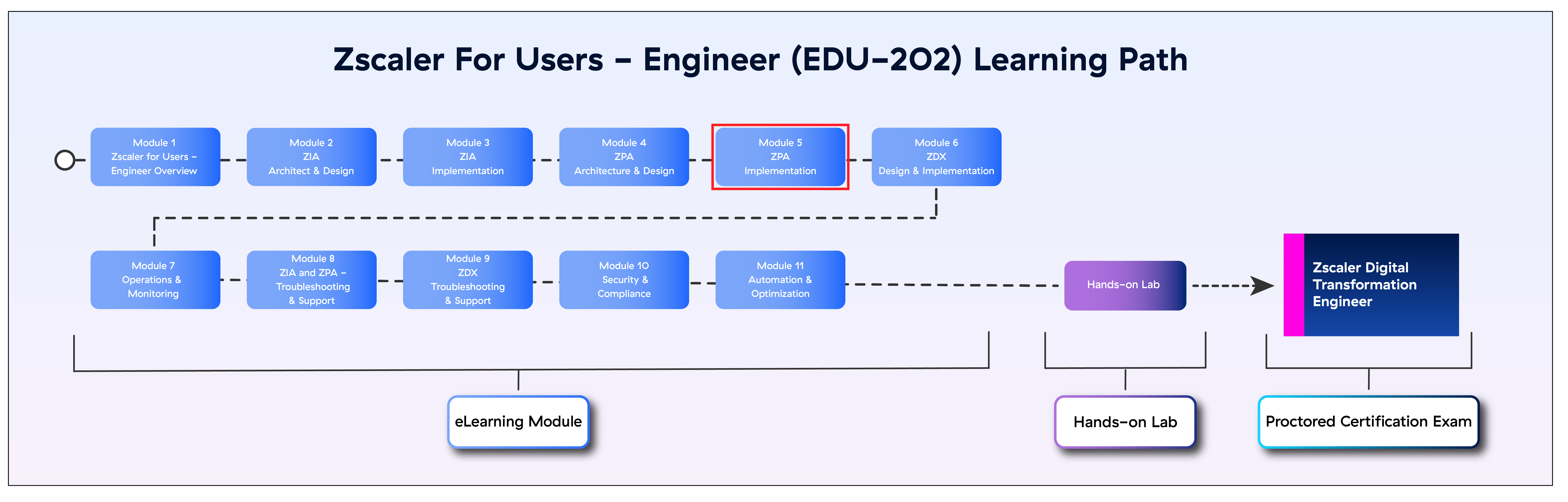
The image below shows your position in the EDU-202 Learning Path.
Course Details
| Course Title | ZPA Implementation: Module 5 of 11 (EDU-202) |
| Course Duration | 110 minutes |
| Course format | Online + Hands-on Lab + Exam |
| Assessment | Proctored exam |
| Prerequisites | ZPA Architecture & Design: Module 4 of 11 (EDU-202) |
| Target Audience for this course | Network and Security Administrators, Engineers, and Architects |
| Certificate |
The ZDTE Certification comes with a Credly Badge. |